Entertainment & OTT

Redesign the controls and functions on the TV video player.

Increase user engagement. Enhance the user experience and usability of the TV player and offer minimalistic designs that will allow users to have a seamless experience. Redesigning the controls and functionalities of the player, so that customers are happy using the TV player.

Client

Viacom 18, Voot

Timeline

3 Months

Role

Product Designer

Existing Player Design Issues
  • The current player interface
    looks bulky and occupies a lot of space. 

  • The controls are not intuitive
    and do not behave as one would expect.

  • The current player interface looks bulky and occupies a lot of space. 

  • The controls are not intuitive and do not behave as one would expect.

Player Benchmarking

TV Interactions

Traditionally, the TV remote is the main way to interact with the TV.
However, voice-over commands and any connected touch device, such as a mobile, smartwatch, can also be used to replace the TV remote.

D-Pad Left, Right, Up & Down Arrows
and center OK button for selection
as well as special buttons like Play, Pause, Rewind and Forward are critical for player interaction.

Remote Hardware Behaviour Benchmarking

Analysis

Revamping the player design

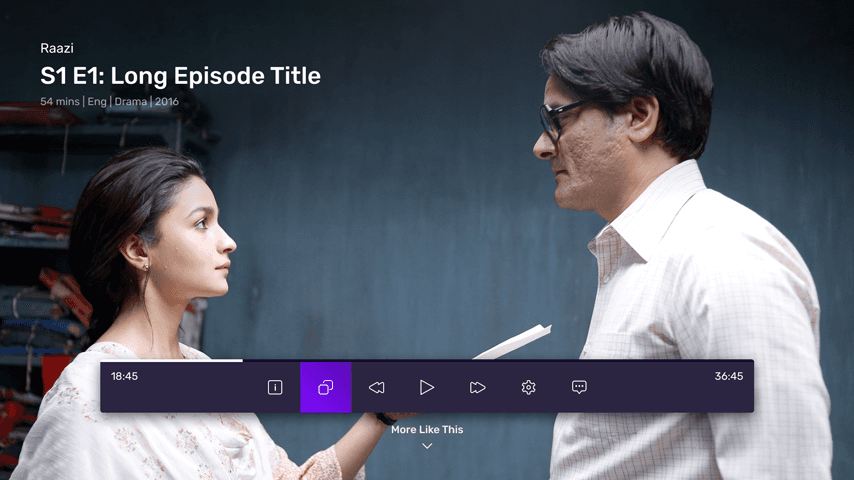
  • Replace the total time displayed at the end of seek bar with the time
    remaining time


  • Remove the UI buttons to Rewind and Forward since the same functionality is achieved by special buttons available on the remote and left and right arrows
    on the D-pad.


  • Allow users to scrub content at various speeds 1x, 2x, 3x


  • Remove the iText from the player control bar to make it lighter


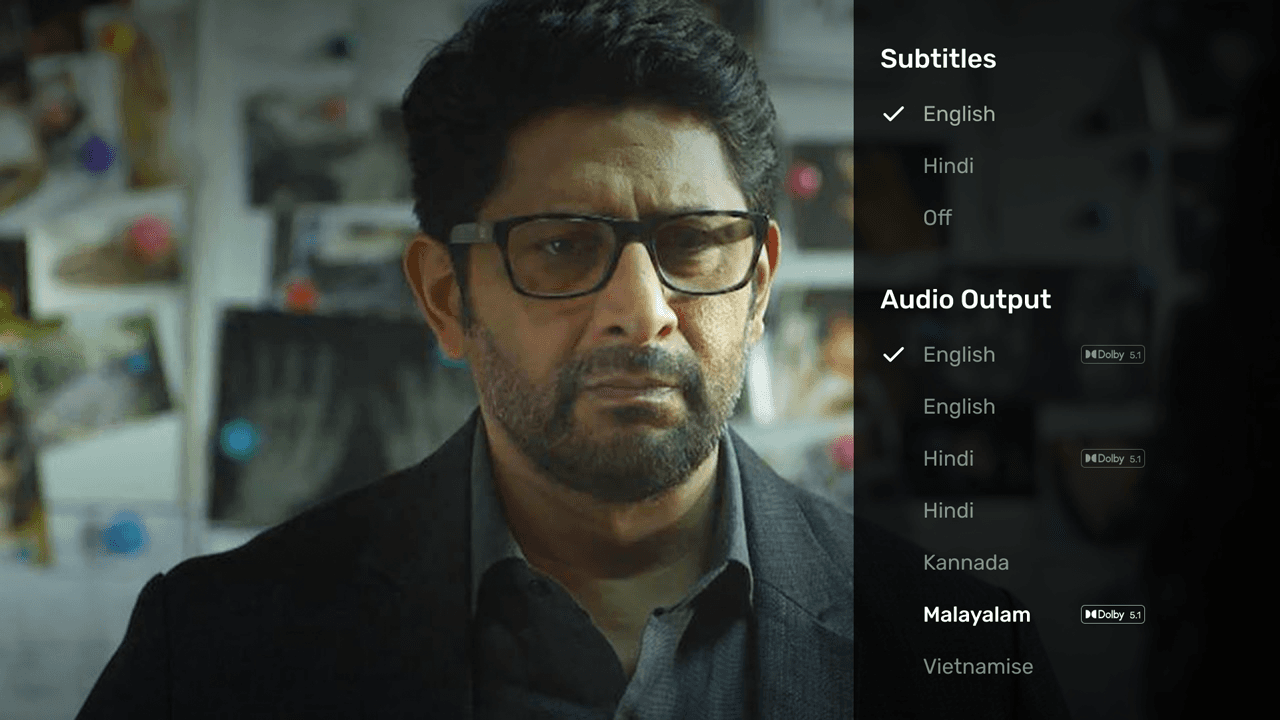
  • The current way of displaying callouts is not scalable to accommodate more languages and options. Provide a right panel for more settings and options.


  • Allow users to view a preview when they trigger Rewind and Forward actions.


  • A user can have a broader view of the content being scrubbed by using
    multiple keyframes.


  • Introduce the Play From Beginning button and Next Episodes UI Button on Player.

Replace the total time displayed at the end of seek bar with the time remaining time

Remove the UI buttons to Rewind and Forward since the same functionality is achieved by special buttons available on the remote and left and right arrows
on the D-pad.

Allow users to scrub content at various speeds 1x, 2x, 3x

Remove the iText from the player control bar to make it lighter

The current way of displaying callouts is not scalable to accommodate more languages and options. Provide a right panel for more settings and options.

Allow users to view a preview when they trigger Rewind and Forward actions.

A user can have a broader view of the content being scrubbed by using multiple keyframes.

Introduce the Play From Beginning button and Next Episodes UI Button on Player.

TV Remote Control Behaviour

  • Using the Up and Down arrows on the TV remote control will allow the user to view the player controls, and multiple presses will navigate between the controls


  • Using the Right and Left arrows will allow the user to respectively Forward and Rewind the video content by 10 sec


  • The auto scrubbing will start when the Right arrow and Left arrow are long-pressed and the speed will be controlled by the same arrows

User Interface

Usability Testing

User Testing was conducted for the TV player by the team on 10 participants. Prototypes were created and controls on the remote were assigned to keys on
the keyboard for the user to navigate.​

Results

  • After the study, the data collected at different stages (screening, interview, testing) was combined and analyzed.


  • The New Functionalities, features and controls were easy to understand and use. Users were able to navigate and perform the given tasks efficiently. As a result, users were able to quickly adapt to new designs.


  • The trend that stuck out was that the icons were not easily understood by the participants. This could be a result of the iconography itself, and/or the placement of the icons.


  • The scrubbing behavior of the participants was as expected, and thus a successful validation.​

Next Steps

Exploration on the placement and use of icons will be undertaken.
Also, a separate study on iconography is in the works.

Prototype

  • Few TV video player interactions are shown in the below video.

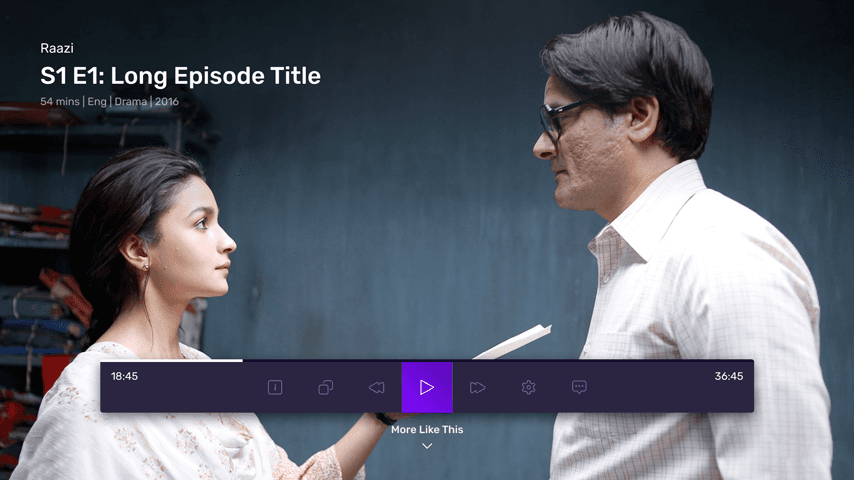
  • Player with visible player controls

  • Change of the audio language.

  • 10 Sec forward

  • Scrubbing behavior on the player.

  • Few TV video player interactions are shown in the below video.

  • Player with visible player controls

  • Change of the audio language.

  • 10 Sec forward

  • Scrubbing behavior on the player.

  • Few TV video player interactions are shown in the below video.

  • Player with visible player controls

  • Change of the audio language.

  • 10 Sec forward

  • Scrubbing behavior on the player.